Booking for pet-sitting businesses

Your booking page, on your own website.

Pawservation is a booking widget that lives on your site, with your services and your rates. Clients request the dates, you confirm or decline, and it keeps track of what you’re owed.

The demo is a made-up sitter’s account — nothing to sign up for, none of your own details asked for, nothing you can break. Pawservation itself is invite-only while it grows — sign in if you already have an account.

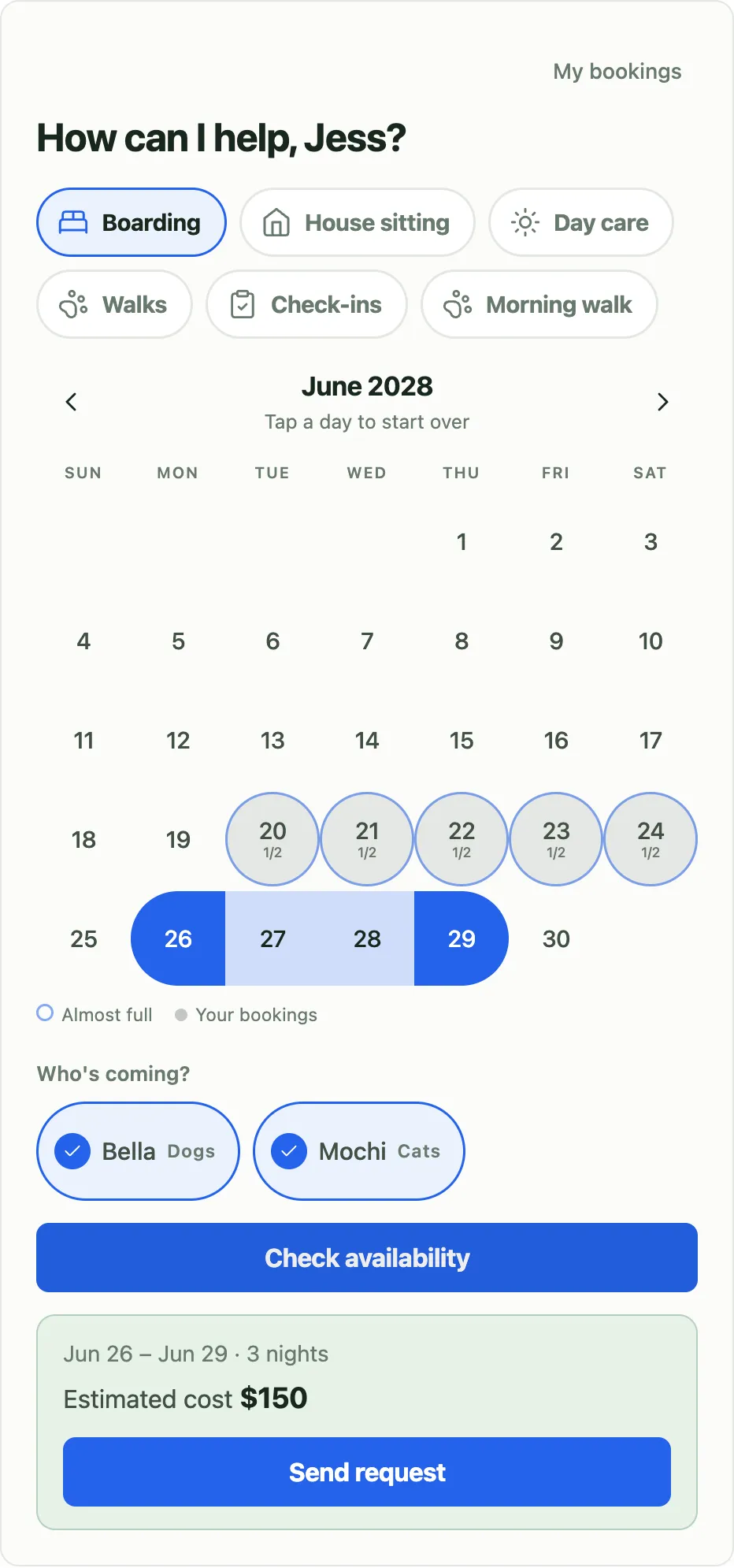
The Pawservation booking widget: a June calendar with a three-night boarding stay selected and a $150 quote
How it works

Your clients book in three steps

The widget shows only what you offer and only when you can take it. Nothing is booked until you say so.

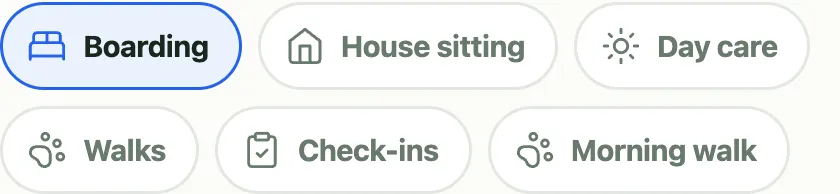
  1. The widget's service picker: Boarding selected from a row of services including House sitting, Daycare, Walk, Check-in, and Morning walk
    01

    They pick a service

    Your services, under your names and your prices — boarding, daycare, walks, or anything you invent.

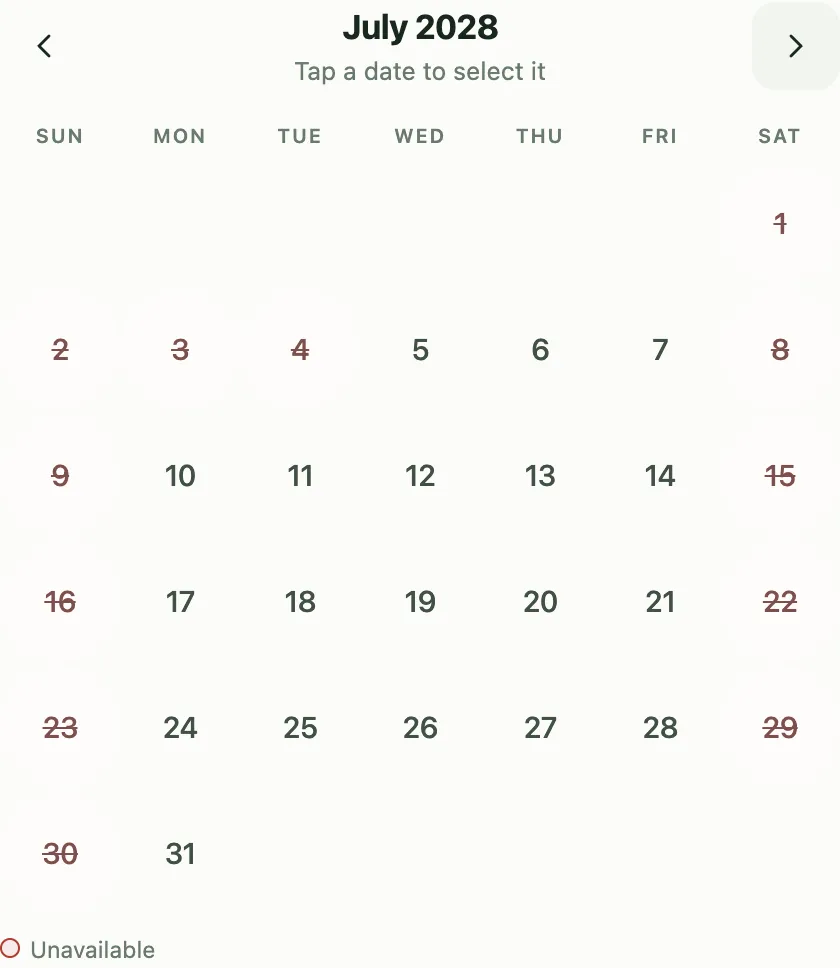
  2. Month grid where full days are struck through and the weekends of a weekday-only service are struck through as unavailable
    02

    They pick the dates

    Days you can’t take aren’t offered: a full day, the weekends of a weekday-only service, anything sooner than your notice or further out than your horizon. It counts the pets they picked, so a day with one space left isn’t offered to a two-dog household.

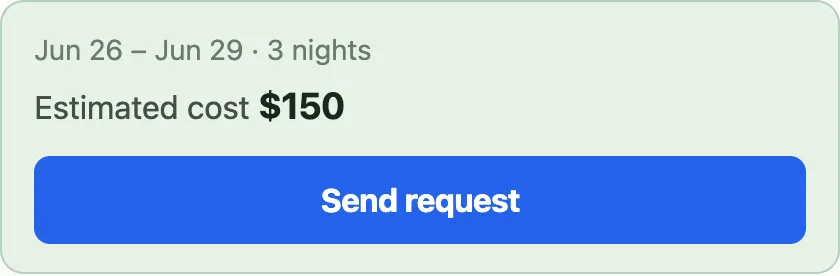
  3. Booking summary showing the selected dates, an estimated cost of $150, and a Send request button
    03

    They send the request — you confirm it

    A request arrives with dates, pets, and an estimated cost. Nothing is booked until you say so.

Your dashboard

Every request, every dollar, in one place

Requests wait for your confirm or decline; clients hear back by email automatically. Nothing books itself.

Rates & services

Boarding, house sitting, daycare, walks, check-ins, or your own custom service — each with its own price.

Caps & time off

A boarding cap, a house-sit cap, a longest stay, days of notice, how far ahead people may book, your days off. A full day isn’t offered.

Clients & pets

Invite by email or import a CSV. Keep profiles and care notes for every animal.

Payments

Cash, Venmo, Zelle, PayPal, check — log deposits and partials, see what’s outstanding. Upload the CSV from Venmo and match a month of payments to clients in one pass.

Earnings

This month against last, what’s still owed, and a year of revenue at a glance.

Google Calendar

Requests land on your calendar instantly and update when you confirm, so your week is where you already look.

Clients change their own bookings

New dates, a different pet, a cancellation — they do it themselves instead of texting you. A change comes back for your approval; a cancellation applies whatever fee your policy says and emails you.

Alongside your workflow

It goes in front of what you already do

Nothing to migrate, nothing to switch off. Pawservation takes the “are you free?” question off your phone and leaves the rest of how you work exactly where it is.

What stays exactly as it is

Five things that don’t change on the day you start.

You keep collecting money your own way.

Cash, Venmo, Zelle, a check on the counter — you take it and you keep it. Pawservation records what came in and shows what’s still outstanding. It never touches the money.

You keep living in Google Calendar.

Connect it once and bookings appear there, updating when you confirm. The sync runs both ways — it writes your bookings out, and something you add to that calendar by hand blocks matching requests here too. Every other calendar in your account is left alone.

You keep the website you already have.

One line of HTML on a page you already publish. No rebuild, no move, no second site to keep in step with the first.

Your clients stay your clients.

You add each one before they can book, and there’s a CSV import for the list you already have. No marketplace, no directory, nobody browsing for a sitter.

You keep taking texts.

The widget answers the repetitive question — what you offer, when you’re free, what it costs. Every other conversation stays where it was.

Moving over, without moving anything

Four small steps, none of them destructive.

  1. 01

    Connect Google Calendar, or skip it. One link under Connected apps and your bookings start showing up on the calendar you already keep. Skip it and nothing else works differently.

  2. 02

    Enter your services, rates, and caps once. What you call each service, what it costs, how much you’ll take at a time, the longest stay you’ll do — and the days you’re off.

  3. 03

    Add your clients. Type in the emails you already have, or upload a CSV — there’s an example file to copy the columns from. Pets and care notes sit on their profiles.

  4. 04

    Paste one line on your site, then point people at it. Next time someone asks whether you’re free, send them the page instead of answering from memory. Anyone who’d rather text you still can.

How much time that is — do the sum yourself

An “are you free the 12th to the 15th?” thread is usually four or five messages spread across an afternoon. Call it a quarter of an hour of your attention, in pieces. The widget answers that from your own caps and your own time off, so the thread never starts:

8 requests a month × 15 min ≈ 2 hours a month

Those are illustrative numbers, not a measured finding — put your own request count, and your own idea of what one back-and-forth costs you, into the same multiplication. Two smaller ones work the same way: the questions you set per service arrive already answered with the request instead of being asked over text, and “who still owes me?” is a number on the Earnings page instead of a memory exercise.

Pricing

Taking bookings is free, and stays free

Your booking page, your availability, and keeping track of what you’re owed cost nothing — there is no trial and no card to enter. A paid tier is planned for the extras on top, and it isn’t built yet.

Free

Available now

$0 for one sitter

  • Booking widget on your own site, unlimited bookings
  • Availability, capacity caps, and conflict rules
  • Minimum notice and a booking horizon
  • Rates, logged payments, and outstanding balances
  • Cancellation policies, applied for you
  • Clients reschedule and cancel their own bookings
  • Client accounts and pet profiles
  • Google Calendar sync, both directions
Ask for an invite

New sitters are added by hand for now — ask, and we’ll email you a sign-up link.

Pro

In development

$29 per sitter, per month

  • Everything in Free
  • AI concierge — clients check availability and book by chat
  • Card payments — deposits, saved cards, auto-charge
  • Extra sitters, with assignment

Not available yet — nothing here is built or for sale.

Planned at $29 per sitter per month, or $290 per sitter per year — $58 less than paying by the month.

Install

One line on any website

Paste it into Squarespace, Wix, or any page, change the slug — the short name in your booking page’s web address — to yours, and save. The widget sizes itself to fit.

If your host strips scripts, paste the plain-iframe version instead — same widget, no JavaScript needed.

Not the person who edits your website? Forward this box to whoever is — it’s one line, and it’ll take them under a minute.

your-page.html paste & save
<script src="https://your-site/embed.js"
        data-pawservation-tenant="your-slug"
        data-height="520"></script>
FAQ

Common questions

Will it work on my Squarespace or Wix site?

Yes. Paste the script line or the iframe version into a page and the widget shows up, sized to fit. Plain HTML sites work too.

Do customers pay by card here?

No. Pawservation tracks money but doesn’t take it. A booking arrives with an estimated cost; you collect it yourself (cash, Venmo, Zelle, check) and log the payment so your earnings stay accurate.

Can it double-book me?

No. Your caps and your time off hold the day, and a request holds its space from the moment it arrives — not from when you confirm it. Caps count animals, so a booking for three dogs needs three spaces free; a day that can’t fit them isn’t offered. If you’ve connected Google Calendar, an event you keep there blocks matching requests too — sync runs both ways.

Can a client change or cancel a booking themselves?

Yes — that’s the point. They can move the dates, swap the pets, or cancel, from the same page they booked on. A change comes back to you as pending, so you re-approve it rather than discovering it. A cancellation applies the fee your own policy says — worked out here, not typed in by them — and emails you either way.

Can anyone book, or just my clients?

Just your clients. You add each client — and their pets — before they can book. A client record always starts with at least one pet, so every request says exactly which animal is coming. Add them one at a time or import a CSV, and choose which animal types you accept.

Can my whole team use it?

Not yet. Pawservation runs one sitter per account today. Extra sitters, with assignment, are part of the Pro plan — which isn’t built yet.

Want in?

Pawservation is invite-only while it grows. Tell us about your business and we’ll set up your services, rates, and booking page.