 Pawservation
How Pawservation works
Fewer texts to answer, and every client still yours
Your clients see your open dates, get a price, and change or cancel their own bookings without waiting on you. They book on your own website, from a link you send them, or on Pro by messaging your WhatsApp number. You confirm every booking, so the relationship stays yours.
The demo shows two made-up sitters’ booking pages, so there is nothing to sign up for and nothing you can break.
Your clients book wherever they find you
You don’t need a website. Your booking page can sit on the site you already have, or live at a link of its own. Only clients you have added can book. Anyone else sees your name and a sign-in box, with a note to get in touch with you so you can add them.
On your own website
Paste one line into Squarespace, Wix or whatever you already use, and your booking page appears there under your name.
From a link you send
Your booking page also has a link of its own. Text or email it to clients and they book from there, with nothing to build or host.
By WhatsApp, on Pro
Clients message your own WhatsApp number, and an AI assistant answers and takes the request for you to confirm. More on Pro.
On your booking page, a client picks a service, picks the dates or a visit time, chooses which of their pets are coming, sees the price and answers your intake questions.
No repeating bookings on the booking page yet.
A client who wants a walk every Tuesday picks each Tuesday there, and there is no “repeat weekly” to set. On Pro they can ask the assistant instead, for every Tuesday and Thursday until the end of November, say: it lists each date with its price for them to approve, up to 60 dates at a time, and every one still comes to you to confirm. They can cancel the rest of a run the same way.
-
 01
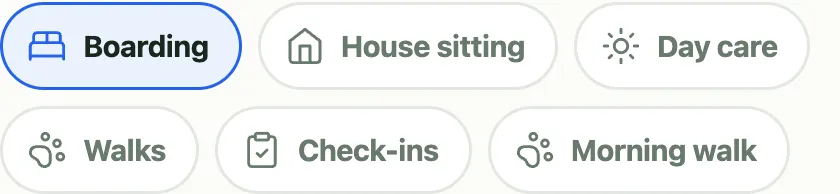
01They pick a service
From the services you set up, under your own names and your own prices.
-
 02
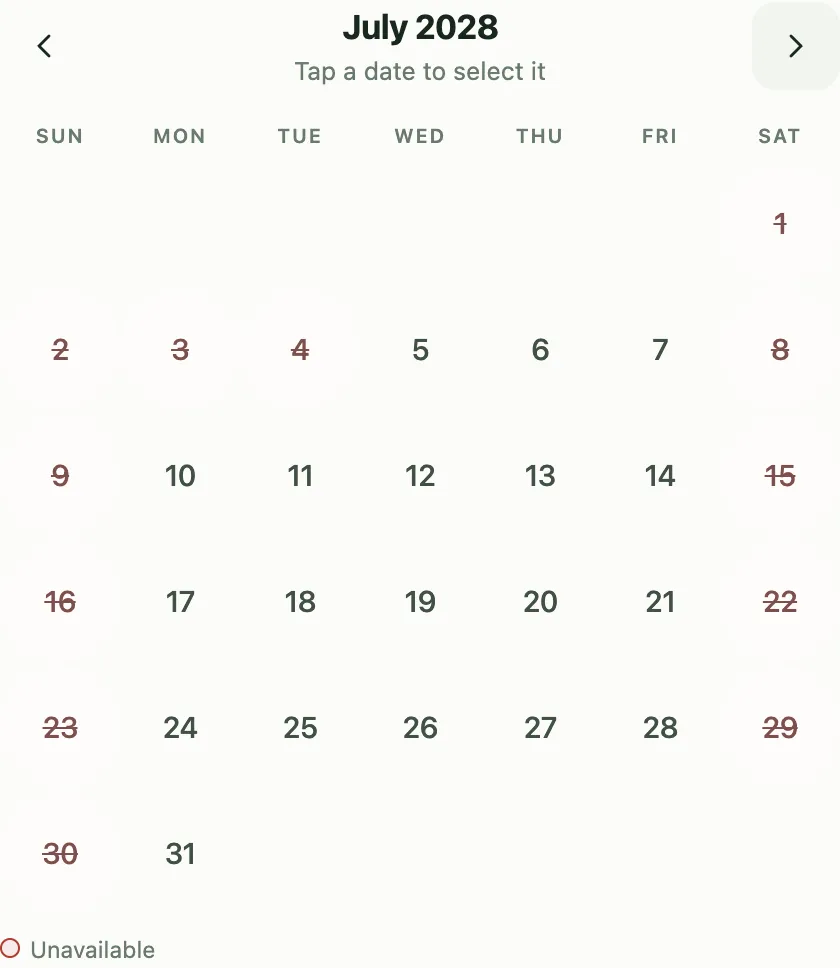
02They pick the dates
The calendar shows the days you can take, counting the pets they picked.
-
 03
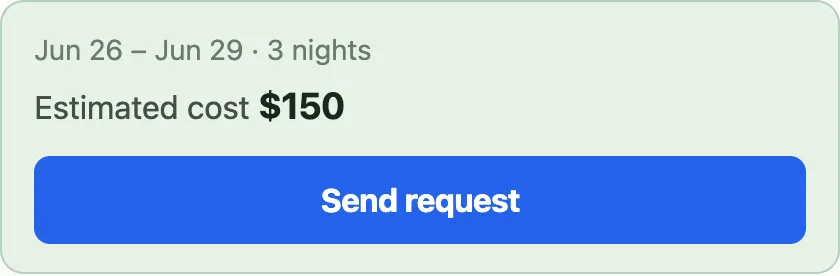
03They send the request
It reaches you with the dates, the pets, your questions answered and a price on it.
You confirm or decline
A request waits in your dashboard with everything you need to answer it, so it is settled in a tap from your phone. Every request is pending until you confirm it, and your client is emailed the moment you do.
What your clients do without texting you
They get your open dates while they are looking.
“Can you take the 12th to the 15th?” and “can you do Tuesday at ten?” are answered on the page at whatever hour they thought to ask. The request is still pending until you confirm it.
They change their own bookings.
New dates, a different pet, a different arrival time. The change takes effect straight away and drops the booking back to pending, so you see it and can still decline. Every rule that applied when they booked applies again.
They cancel their own bookings.
Your policy sets the fee, worked out here from the windows you wrote, and you get an email saying what is owed. A request you have not confirmed yet is free to withdraw.
Your calendar, and your time off
Time off comes first. Block a day, or a run of days, and those dates stop being offered across every service you run.
Time off, in whole days.
Away next Tuesday? Block Tuesday and nothing else changes. Bookings you have already confirmed stay as they are.
How much notice you need.
Set the days of notice each service needs, so nobody books you for tomorrow morning.
How far ahead people can book.
New accounts start at twelve months.
Google Calendar, if you want it.
Connect it and your bookings turn up in the calendar you already check. Anything you put on that calendar by hand blocks those dates too, for six months ahead or as far as your booking horizon, whichever is longer. Skip it and everything else works the same.
Your services, your rates
Every service starts from one of five kinds. The name, the rate and the limits are yours.
Five kinds to start from
Boarding · per night
Overnight stays at your place.
House sitting · per night
You stay at the client’s home.
Daycare · per day
Daytime care, one date at a time.
Walk · per walk
Your own morning and evening options, at their own prices.
Check-in · per visit
Drop-in visits to feed, let out and top up the water.
What you set on each one
A rate, per night, day, visit or walk.
A holiday rate, if you charge one.
A rate for a combination of pets, when two dogs is a price of its own.
Options with a length and a time window, such as a 30-minute walk between 10 and 2.
A per-day limit on each option, counted in animals.
Weekdays only, if that’s how you work.
The longest stay you will take.
Which pet types the service accepts.
Up to five intake questions your clients answer when they book.
Optional: keep track of payments
If you want to, log what each client has paid, by cash, Venmo, Zelle, PayPal, check or card, and Pawservation keeps a running balance per household. Upload the CSV Venmo gives you and a month of payments matches up at once.
Payment stays between you and your client. Card payments are part of Pro, and they run through your own Stripe account.
On Pro, a friendly AI assistant takes the routine questions
The assistant answers your clients with your rates, your rules and your open dates: whether you’re free, what a stay costs, moving a date, what they owe. Every booking it takes still waits for you. You can switch it off any time. It has a daily allowance, and when that runs out clients are pointed to your booking page, which always works.
Booking by WhatsApp
Clients message your own WhatsApp number to book, get a quote, reschedule or cancel. Each new request reaches you as a WhatsApp alert with Confirm and Decline buttons, and your client hears the answer.
A helper for your back office
Ask who still owes you or what next week looks like, and get the answer from your own records.
Card payments
Take deposits. A client who pays one can save the card and allow charges after each stay, and then what that booking still owes is charged the morning after it ends. Clients who don’t opt in pay you the way they do now. You pay Stripe’s published rate and no fee to Pawservation (see Stripe’s pricing).
Three steps to a booking page
Sign up. Enter your email on the homepage and we will email you a sign-up link.
Set up your services and rates. The wizard offers presets, each a whole service already shaped, so you tap the ones that describe you and type your prices.
Share your booking page. No website? Copy your booking link from Settings → Your website, and send it to clients. Have a website? Copy the code from the same place, already carrying your business’s name, and paste it into a Code block on Squarespace, or use the second code with Wix’s “Embed a site”. It sizes itself to fit.
Solo is $15 a month. Pro is $29 a month or $290 a year. Pro adds booking by WhatsApp, card payments and a back-office helper. You pay Stripe’s published rate on a card payment and no fee to Pawservation.
Choose Solo or Pro when you sign up, and your 30-day free trial is of that plan. You add a card on Stripe’s page to start it, and you’re charged when the trial ends unless you cancel first. A business that has had a trial doesn’t get a second one, and a promo code for a monthly plan is entered on Stripe’s page. Without a plan your dashboard is read-only, and your clients can still send requests.
Want every step written out, from your first sign-in to connecting WhatsApp? Read the setup guide.
<script src="https://pawservation.com/embed.js"
        data-pawservation-tenant="your-business"
        data-height="520"></script>
<iframe src="https://pawservation.com/embed/your-business"
        title="Booking widget"
        style="width:100%;height:640px;border:0;"></iframe>
Good to know before you start
One sitter per account.
Pawservation is made for one person running her own book.
Your rates are public.
Your booking address also publishes a plain-text summary of your services and prices that anyone can read without signing in.
What if you want to take your book elsewhere?
Under Business in your dashboard, Export your data gives you four downloads: clients, pets, bookings and payments, as ordinary CSVs that open in Excel, Numbers or Google Sheets. Cancelled bookings, declined requests and pets who have died are all there with their status in a column.
These are your records. Your settings stay here, meaning your services, rates, cancellation policies and questions, and so does your time off, which is in none of the four files. It goes one way only: there is nothing scheduled to set up, and no way to load one of these files back in.
Four rules the software will not break
Nothing books itself.
Every request arrives as a request and waits for you to confirm or decline. A pending request holds its space so it can’t be taken twice, but it is never a commitment you didn’t make.
Your money is yours.
Pawservation records what a booking is worth and what you’ve been paid. It never holds your funds or takes a cut, on either plan. On Solo it does not process cards at all, and you collect the way you already collect. On Pro, Stripe pays you directly.
Your clients stay your clients.
This is not a marketplace and not a directory. Nobody browses for a sitter here. You add each client before they can book, and their details are yours.
No price you didn’t type.
The software will not invent a rate. It multiplies the hours or nights you sold by the rate you stored, and where you’ve told it to, by the number of pets. It will refuse to quote a combination you never priced rather than guess at one, because a rate you didn’t type is a price you didn’t agree to.
Sign up when you are ready
Enter your email and we will email you a sign-up link; the wizard then sets up your services, rates and booking page. Or poke at the demo first: nothing to sign up for and nothing you can break.